For players

LotoAsso Play App. Free.

Follow draws and mark your cards on your smartphone

LotoAsso Play App. Free.

Open the app on your smartphone

The player app to follow the game

With or without LotoAsso

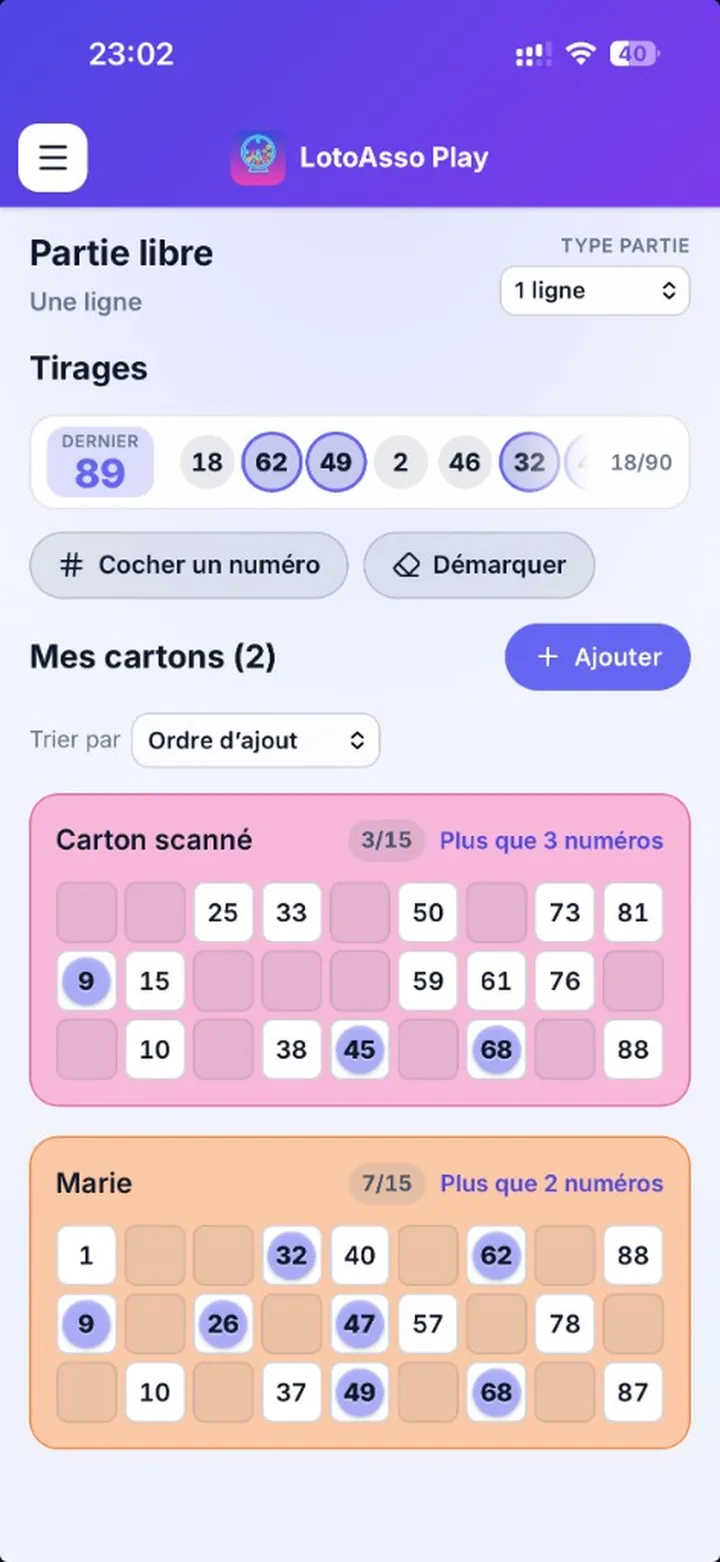
LotoAsso Play works with a LotoAsso event or in free play. With LotoAsso, draws sync automatically with the hall. Otherwise, you mark numbers manually.

  • With LotoAsso: draws synced live with the hall
  • Without LotoAsso: free play and manual draw
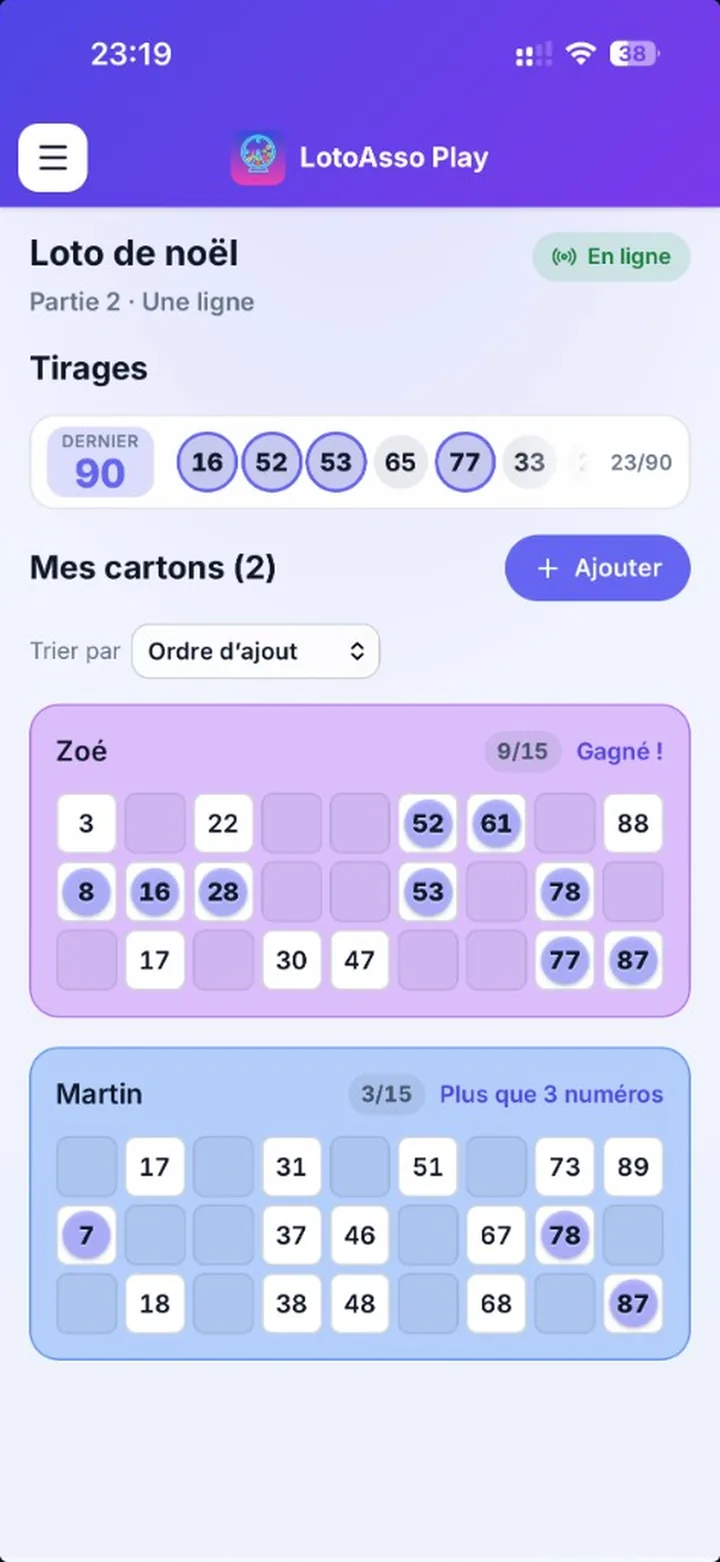
Synced LotoAsso Play session
Free play on LotoAsso Play

Never miss a number

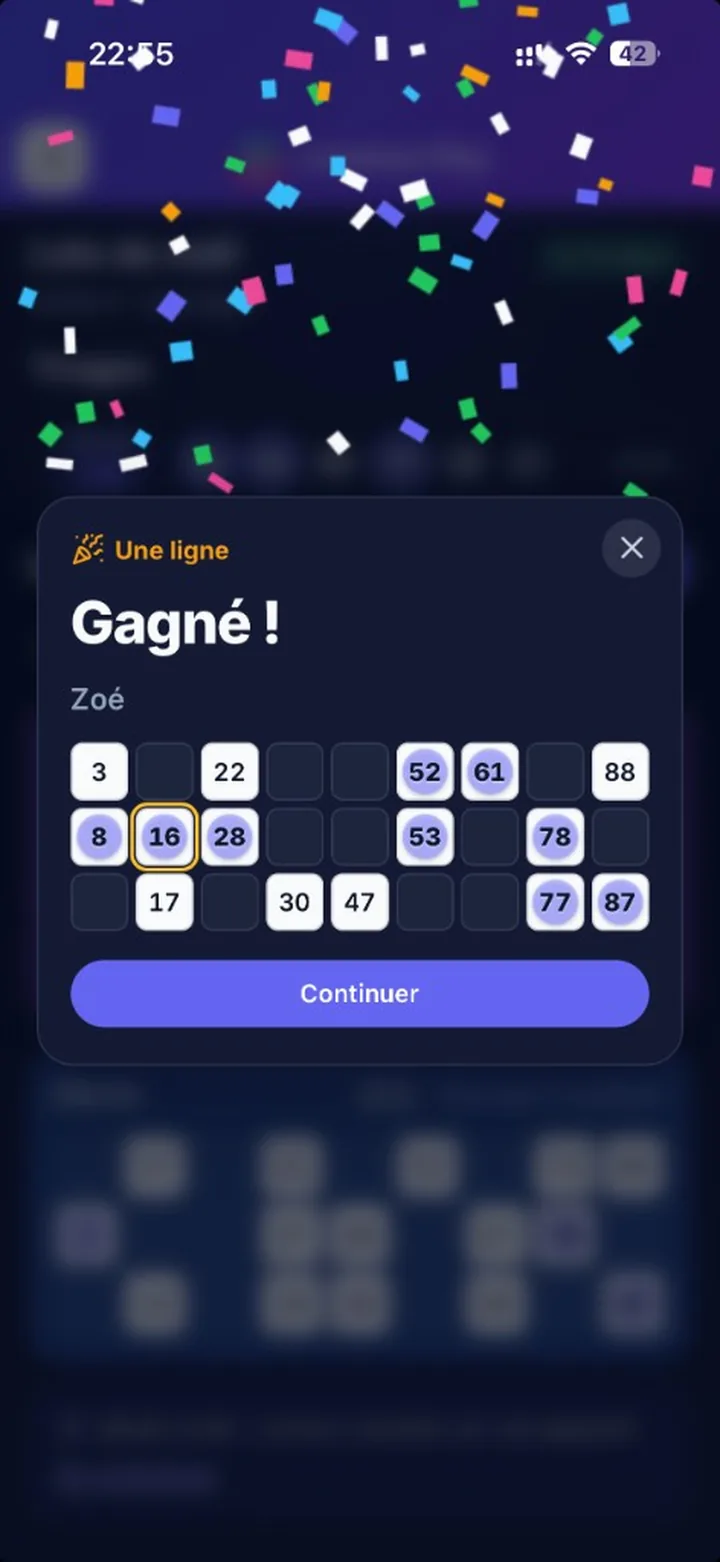
The app marks your cards automatically and alerts you as soon as a line or full card is complete.

Winning card alert on LotoAsso Play

Smart card import

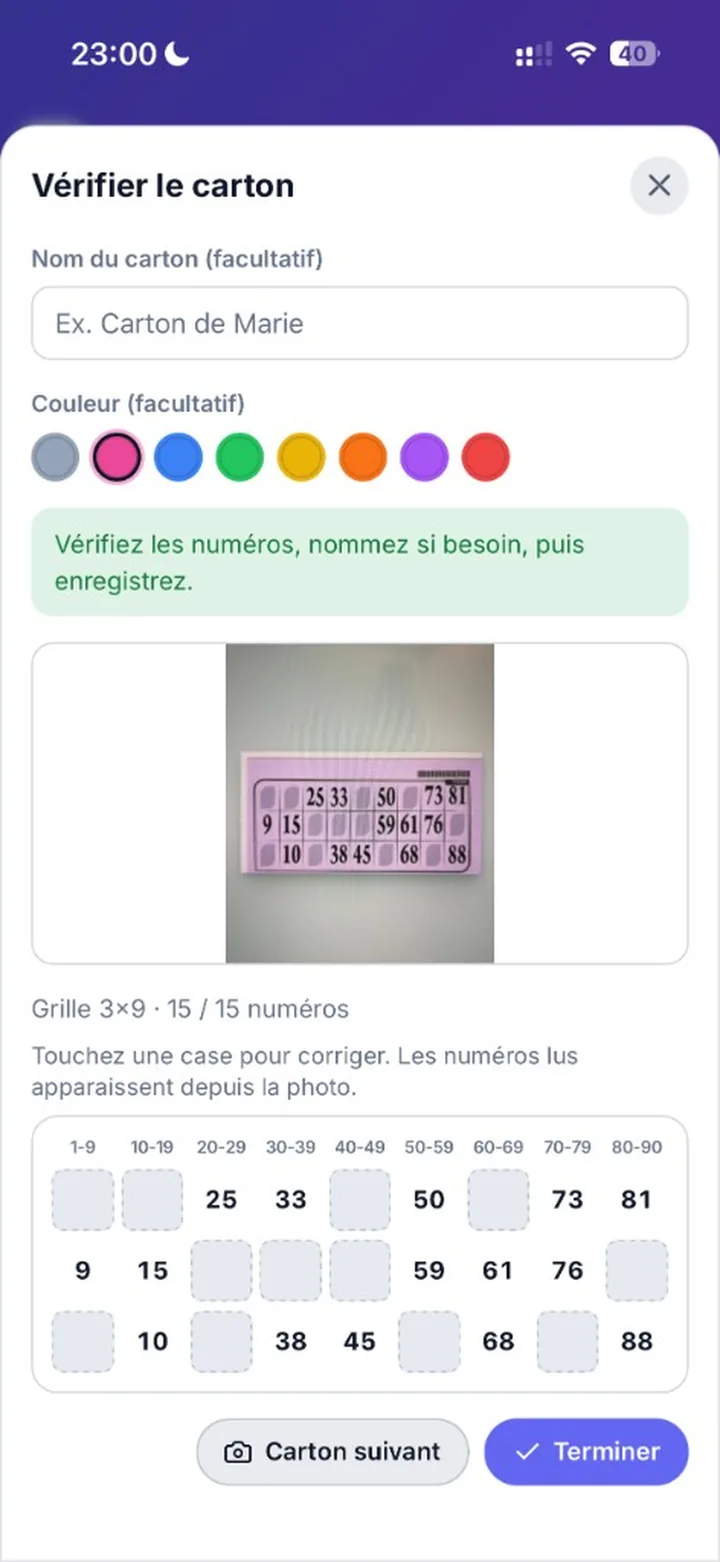
Add your cards in seconds, whatever their format.

  • LotoAsso card barcode
  • Photo recognition with AI
  • Manual entry
Card verification by photo on LotoAsso Play

Settings and advanced personalization

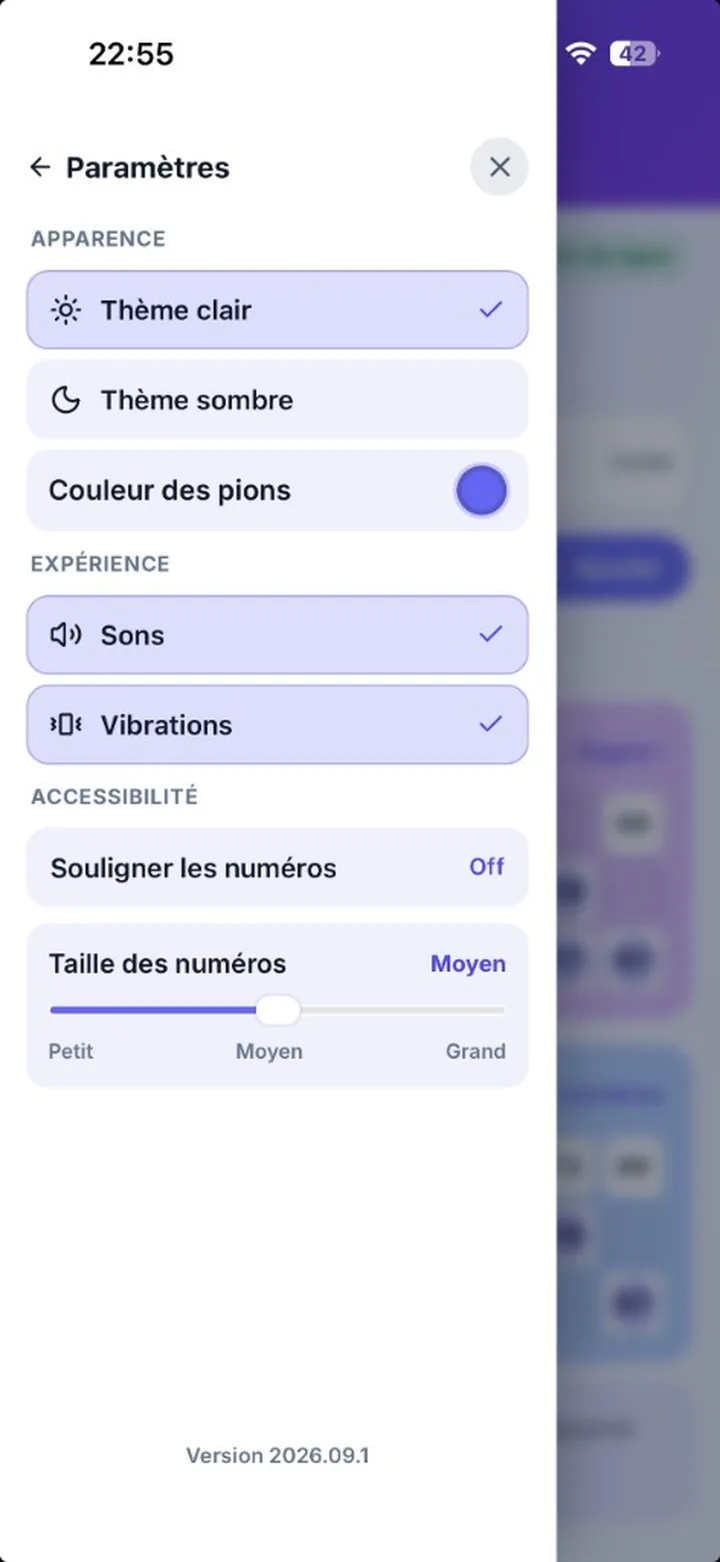
Light or dark theme, marker color, sounds, haptics and accessibility options to play your way.

LotoAsso Play settings

Web app, zero install

No store, no hassle. Always up to date, right in your smartphone browser.

How to use LotoAsso Play?

  1. Scan the QR code above, or open lotoasso.com/play on your smartphone
  2. Scan the game QR code, or enter the code provided by the organizer
  3. Import your cards (photo with AI scan, barcode or manual entry)
  4. Follow drawn numbers live on your cards
  5. The app marks squares automatically and alerts you on a win
Add LotoAsso Play to your smartphone home screen for quick access. In your browser menu, choose “Add to Home Screen”.

Frequently asked questions about LotoAsso Play

  • How can players follow the draw on their phone?

    With LotoAsso Play, the free player app. It opens in the phone's browser (lotoasso.com/play), with nothing to download and no account required. • The player scans the QR code shown in the hall, or types in the loto code. • They add their cards: scan the QR code of LotoAsso cards, take a photo (one card or a whole sheet) or type in the numbers. • Drawn numbers arrive live, cards are marked automatically and an alert tells them when one of them wins. Play does not replace calling out in the hall: to win, players still announce it out loud, as usual. For a loto run without LotoAsso Live, the “Start freely” mode lets players mark numbers by hand.

  • Is LotoAsso Play free?

    Yes, for every player and whatever the association's plan. Play opens in the phone's browser at lotoasso.com/play, with nothing to download and no account required, and can be added to the home screen like an app. When the association has a Loto Pass or the Pro plan, its players also see no ads in Play.

  • Can I use Play if the loto isn't run with LotoAsso Live?

    Yes, with “Start freely”. Choose the game type (1 line, 2 lines or full house), add your cards by photo or by typing them in, then tap each number called on the keypad: Play marks it on all your cards. Numbers only arrive by themselves when the organizer runs the loto with LotoAsso Live.

  • Can I play a loto remotely with Play?

    No. Play goes with a loto held in a hall: it follows the draw called on site and does not replace it. To win, players call out and show their paper card to the organizer, who alone confirms the win. In France, a traditional loto is played in person: neither an online loto nor a partly remote format is allowed (see the question on online lotos in our FAQ).

  • Are my cards saved in Play?

    Yes, on the phone only, with or without an account: they don't follow you to another device, and clearing the browser's data deletes them. So always keep your paper cards: they are what the organizer checks.

Take LotoAsso Play with you

Open the app to follow your cards, or share the link with your friends.